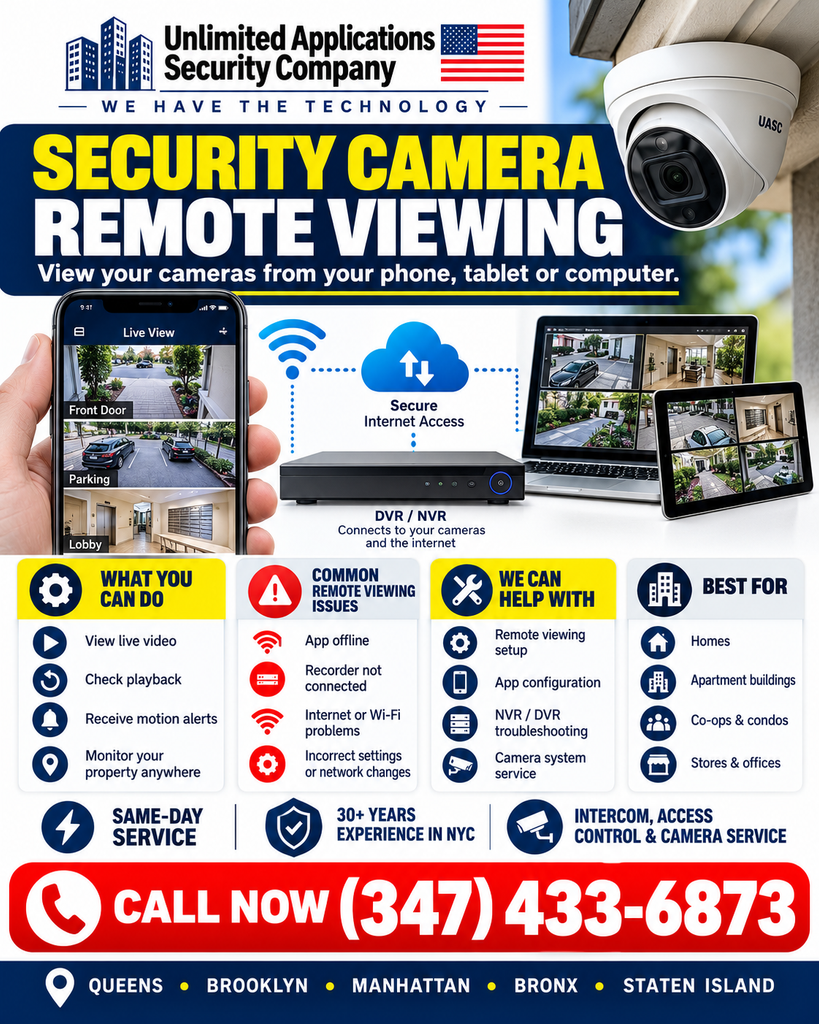
Security camera remote viewing lets New York City property owners, managers, and business operators check live and recorded video from a phone, tablet, or computer—without being on site. When the recorder, cameras, network, and mobile app are configured correctly, remote access can make it easier to monitor entrances, lobbies, parking areas, storefronts, common areas, and other important locations across Queens, Brooklyn, Manhattan, the Bronx, and Staten Island.
Unlimited Applications Security Company provides security camera remote viewing setup, app configuration, DVR/NVR troubleshooting, camera system service, and related low-voltage support throughout New York City. If your cameras work locally but the app is offline, remote playback fails, or a network change knocked your system out of remote access, call (347) 433-6873 for troubleshooting and a site visit.
What Is Security Camera Remote Viewing?
Security camera remote viewing is the ability to connect to a CCTV, IP camera, DVR, or NVR system over the internet so authorized users can view video away from the property. Depending on the recorder and camera system, remote access may include live viewing, recorded playback, motion alerts, camera selection, multi-camera views, and account permissions for different users.
For apartment buildings, co-ops, condominiums, mixed-use properties, retail stores, offices, and homes in NYC, remote viewing can be especially useful when an owner or property manager is responsible for more than one location or cannot always be physically present.
What You Can Do from Your Phone, Tablet, or Computer
View live video. Check entrances, front doors, lobbies, parking areas, loading areas, hallways, storefronts, or other camera locations in real time.
Check playback. Remote playback can help you review recorded footage after a delivery, access event, property incident, or reported problem. Live video alone does not prove that your DVR or NVR is actually recording, so playback should be tested separately.
Receive motion or event alerts. Supported systems can notify authorized users when configured motion or analytics events occur.
Monitor a property while away. Remote camera access can help homeowners, building owners, supers, property managers, and business operators stay connected to a site from elsewhere in New York City or while traveling.
Common Security Camera Remote Viewing Problems in NYC
A remote viewing failure does not always mean the cameras are bad. The problem may be in the recorder, network connection, mobile app, account settings, router configuration, or a change made by the internet provider.
The app shows the system offline. A recorder may still display cameras on a local monitor while the mobile app reports that the device is disconnected from the internet.
The DVR or NVR is not connected. A loose network cable, failed network port, incorrect gateway, DNS problem, disabled platform-access setting, or recorder configuration issue can interrupt remote access.
Internet or Wi-Fi changes caused the problem. Replacing a router, changing an ISP, updating network equipment, or changing passwords can affect the path between the recorder and the internet.
Settings changed or credentials stopped working. App updates, deleted devices, account changes, incorrect usernames, changed passwords, or permission issues can prevent a user from connecting.
Live view works, but playback does not. This can point to recording, storage, hard-drive, time-setting, overwrite, or recorder problems rather than a remote-access problem alone. For a step-by-step check, see our guide on how to check whether your DVR is actually recording.
Remote Viewing Setup and Troubleshooting Services
Unlimited Applications Security Company can help connect compatible security camera systems for remote viewing and troubleshoot existing systems that have stopped working remotely. Service may include checking the recorder’s network status, confirming internet connectivity, reviewing app configuration, reconnecting authorized devices, testing live view and playback, and verifying that the recorder is communicating properly.
When the issue involves the recording system itself, we can also troubleshoot DVR/NVR errors, hard-drive warnings, missing playback, incorrect recorder time, camera connection problems, and related security camera system faults.
Learn more about security camera systems in NYC, security camera repair in Brooklyn, and security camera installation in Queens.
Local Security Camera Remote Viewing Service Across New York City
We provide security camera and remote access support throughout the five boroughs, including Queens neighborhoods such as Astoria, Long Island City, Forest Hills, Flushing, and Jamaica; Brooklyn neighborhoods such as Park Slope, Williamsburg, Bushwick, Bay Ridge, Flatbush, and Downtown Brooklyn; plus Manhattan, the Bronx, and Staten Island.
Remote viewing is commonly used for NYC homes, apartment buildings, co-ops and condos, mixed-use properties, storefronts, offices, and other properties that need convenient access to camera video.
Security Matters: Keep Remote Camera Access Protected
Remote viewing should be configured for authorized users only. Use unique passwords, avoid sharing administrator credentials unnecessarily, keep recorder and app software current when supported by the manufacturer, remove access for users who no longer need it, and review account permissions after staff or management changes.
If a camera system was installed years ago and remote access depends on outdated software or unsupported networking methods, troubleshooting may reveal that an upgrade is the more reliable option. The goal should be dependable access without weakening the security of the camera system.
When Should You Call for Security Camera Remote Viewing Help?
Call when the app stays offline, the recorder is no longer reachable, remote playback fails, internet changes broke access, you cannot reconnect a phone or tablet, or you need remote viewing configured on an existing compatible system. If your cameras also have recording, storage, or playback problems, those issues should be checked at the same time.
Need security camera remote viewing setup or troubleshooting in New York City? Call Unlimited Applications Security Company at (347) 433-6873 to arrange a site visit.
Frequently Asked Questions About Security Camera Remote Viewing
Can I view my security cameras from my phone?
Yes, many compatible DVR, NVR, and IP camera systems support mobile remote viewing through a manufacturer app or supported remote-access platform. The recorder must be connected and configured correctly, and the user must have valid access credentials.
Why does my camera app say the system is offline?
Common causes include loss of internet connectivity, recorder network settings, a router or ISP change, an unplugged network cable, platform-access settings, account problems, or a recorder that is not communicating properly.
If I can see live video, does that mean my DVR is recording?
No. Live view and recording are separate functions. A system can show live cameras while the hard drive, recording schedule, storage settings, or recorder has a problem. Always test playback.
Can remote viewing work for apartment buildings and businesses?
Yes. Compatible systems can support remote viewing for apartment buildings, co-ops, condos, retail stores, offices, mixed-use properties, and other commercial or residential sites, with access limited to authorized users.
Do you provide security camera remote viewing service in Queens and Brooklyn?
Yes. Unlimited Applications Security Company provides security camera system service and remote viewing troubleshooting in Queens, Brooklyn, Manhattan, the Bronx, and Staten Island. Call (347) 433-6873 for service availability and scheduling.